The Tomorrow Loop
You've been meaning to clean since Tuesday. It's now Saturday. Tuesday of next week. The washing up has personality now.
Scan your room. Get a task list. Clean in 20 minutes. No judgement. Okay, a little judgement.
It's the starting. The deciding. The standing in the doorway doing the thousand-yard stare at a pile of laundry. We know. We see you. We are you.
Someone just texted "on my way" and you're standing in your kitchen doing the maths on whether you can clean the whole flat in the time it takes them to park.
How a panic clean works →You've been meaning to clean since Tuesday. It's now Saturday. Tuesday of next week. The washing up has personality now.
You can see the mess. You know what needs doing. Your brain has decided that standing in the doorway staring at it counts as progress. Respectfully: it does not.
You cleaned once. It looked incredible. You have no memory of what you did or in what order. Can't replicate it. Gone forever. Like a dream.
Here's the entire process. It's three steps. We kept it short because we know you.
You don't have to think. You don't have to make a list. You don't have to decide where to start. Just point your phone at the room and Briskly figures out what needs doing. Your brain's been through enough today.
Each task gets a countdown timer. It's like a game show but the prize is a clean kitchen and the audience is your cat. Connect Spotify or Apple Music so it's not just you and the sound of a sponge.

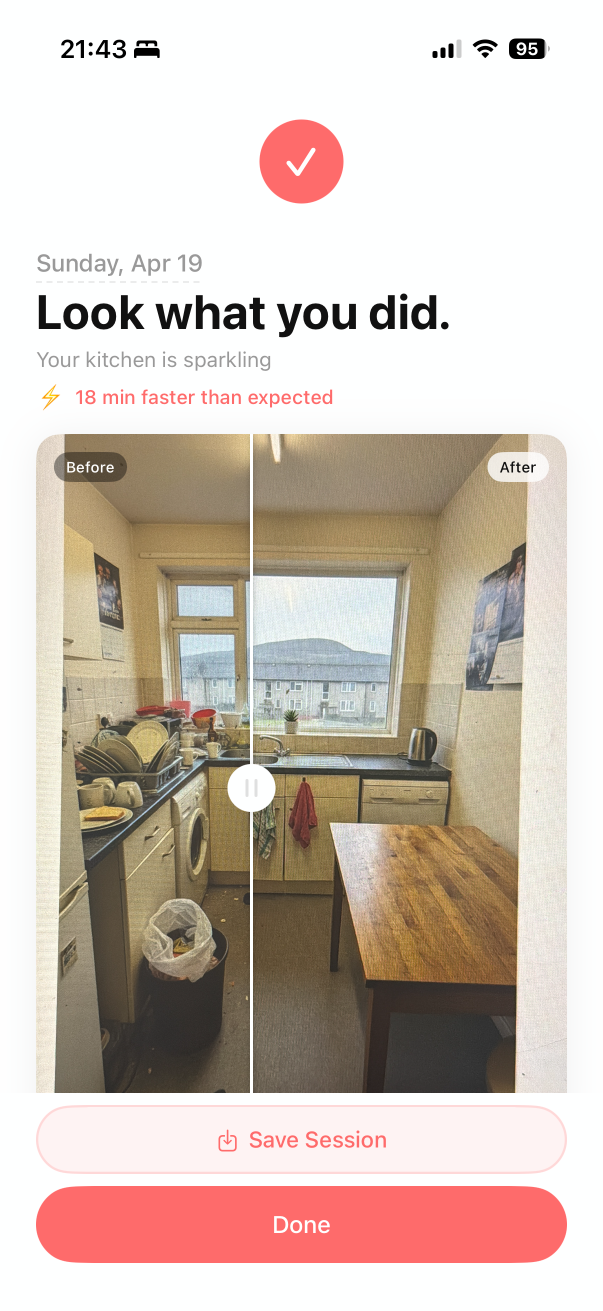
20 minutes later, it's done. Take the after photo. Compare it to the before. Send it to the group chat. Pretend you always live like this. We won't tell.
And open the app. And point the camera. Okay it's a few things. But they're easy, and most of them happen without you.
Briskly scans the mess and builds a task list. You don't have to think about what needs doing. It already knows.
Every task has a timer. Short enough you can't talk yourself out of it. By the time you think "do I really need to do this?", it's done.
Take a photo before you start. Another when you're done. Swipe between them. Send it to the group chat. Feel something. This is your content now.
We know you'll try to open TikTok. The lock screen shows the task and timer right there, guilt-tripping you back on track. Lovingly.
For when your phone is across the room and you're elbow-deep in something you'd rather not describe.
Connect your library and every task gets a fresh track. Cleaning in silence isn't cleaning, it's a punishment. We do bangers.
Four screens. That's the whole app. You can handle that.
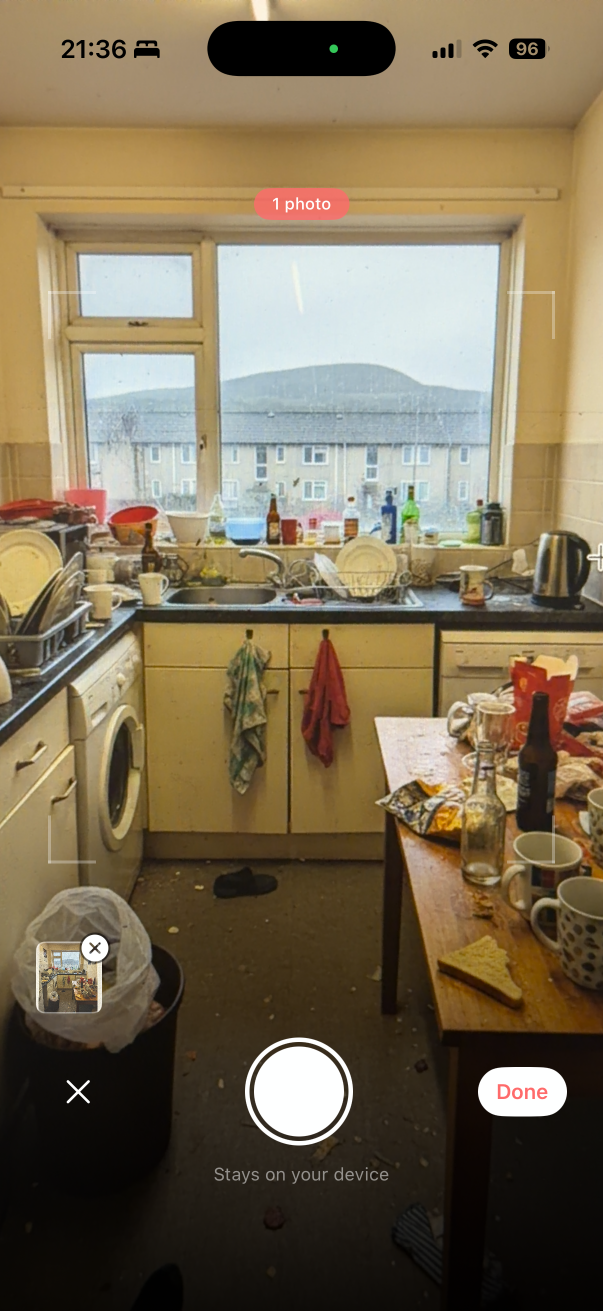
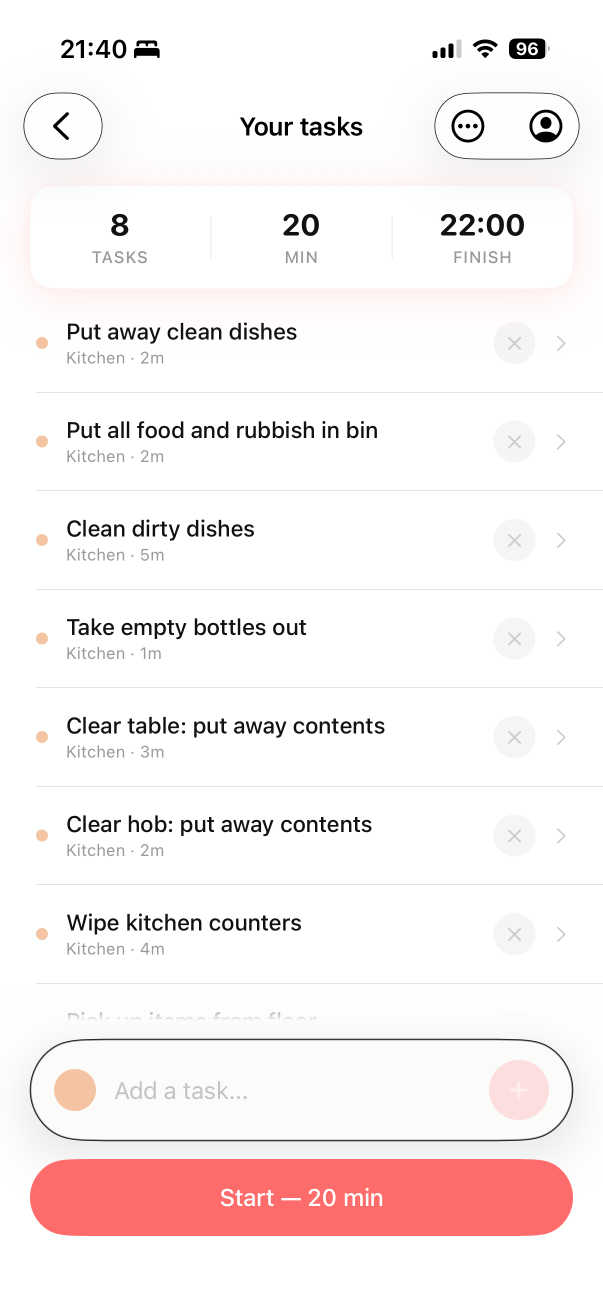
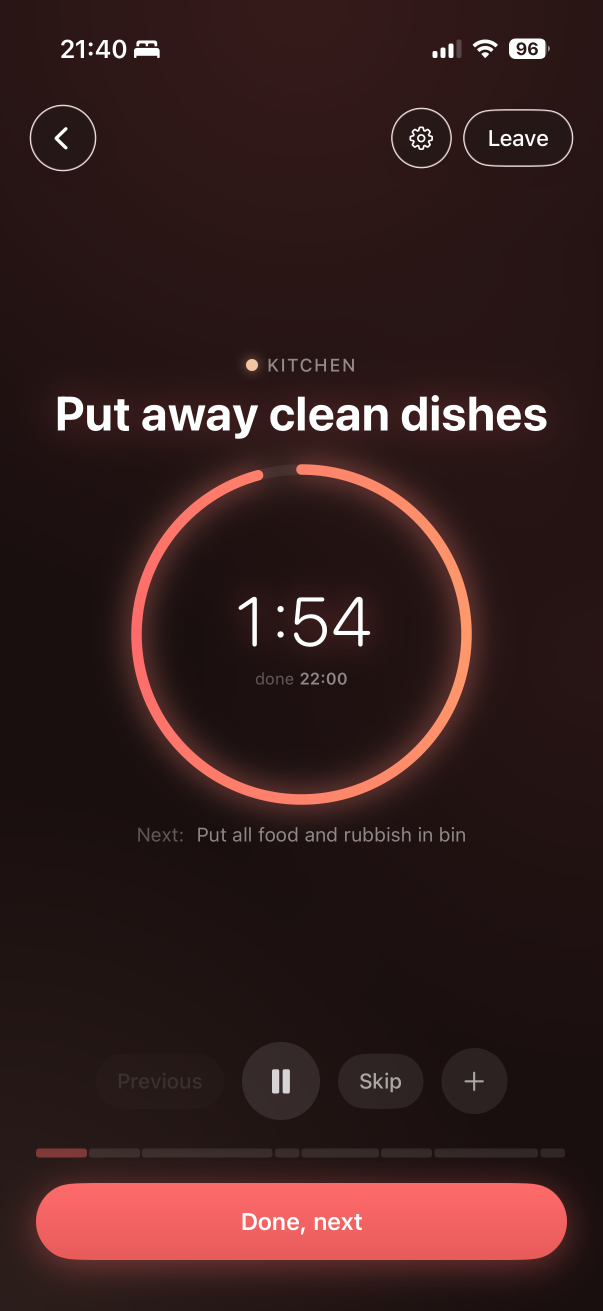
Your photos stay on your phone. Here's what that actually means, in plain English, not fine print.
Room scanning uses Apple's on-device Vision and Apple Intelligence. On your phone, not in a cloud somewhere. Your photos never leave your device. We never see them. We don't want to see them.
We don't send your photos to any external model or cloud AI. There isn't a server somewhere looking at your kitchen. It's just your phone, doing the work, locally.
Not your photos. Not your tasks. Not your rooms. None of it feeds a model, ever. We're not building a dataset out of your flat. Promise.
No account. No email. No login. Your photos never leave your phone. We do send anonymous usage events (app opened, features used, device model, app version) to a private Supabase database we own, so we can fix bugs. No name, no photos, no task names. Subscriptions go through Apple and RevenueCat. We still know less about you than your hoover does.
Before and after photos live in app-private storage on your phone. If you share them, that's your decision. We never upload them. Delete the app and the on-device stuff is gone. We never had a remote copy of your pictures.
We made a cleaning app,
not a surveillance tool.
Now go clean your flat.
 Done before you know it.
20 minutes. On-device. No account. No excuses left. Sorry.
Download on theApp StoreFollow us for cleaning content you'll watch instead of actually cleaning.